
Screen Studio Alternative
Screen Studio makes polished demo videos. Shotmesh turns a single screenshot into a moving image, without recording anything.
Screen Studio is a good tool. This page is about which one fits your job.
Screen Studio is a well regarded native Mac screen recorder built for polished demo videos, smooth cursor movement, auto zoom, motion blur, and nice backgrounds around the recording. It's $29 month-to-month or $9/month billed yearly ($108/year), and there's no lifetime license for new buyers. If you're making a product demo video, it's a strong, purpose-built tool for exactly that.
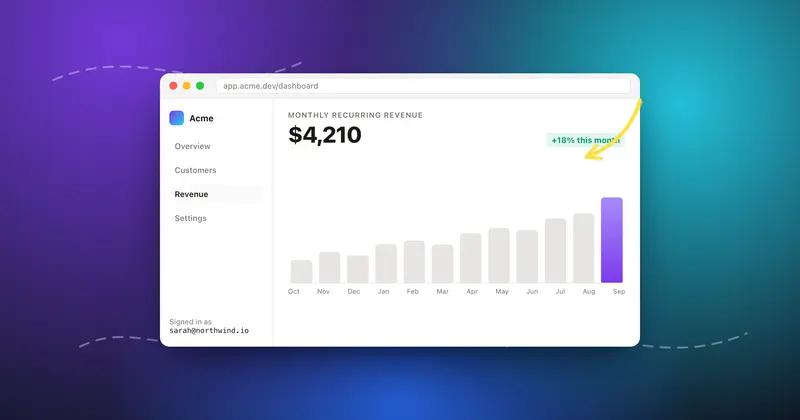
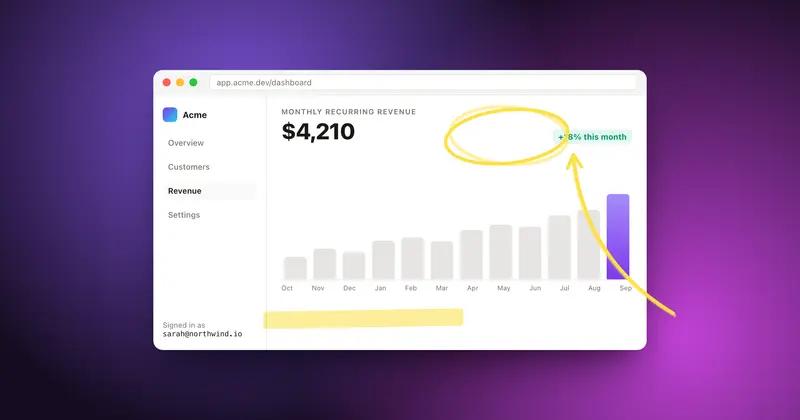
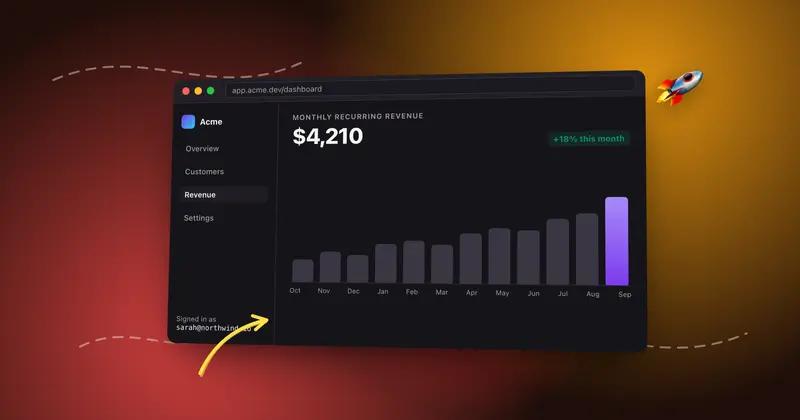
The distinction that matters here is what kind of "motion" you need. Screen Studio records your screen and turns that recording into a video, it's a recorder first. If what you actually want is simpler, just one screenshot that moves a little, a subtle zoom, a self-drawing arrow, a background that shifts, for a tweet or a landing page, that's a different job. Shotmesh doesn't record anything; it takes a single screenshot you already have and animates the elements around it (backgrounds, annotations) into a GIF or MP4.
So it's fair to say these solve different problems that happen to overlap at "a video-ish thing for social media." If you need an actual demo recording of your product in action, Screen Studio is the right tool and Shotmesh isn't a replacement for that. If you just need a still screenshot to feel more alive without recording your screen at all, Shotmesh is simpler and free to start.
Strengths
Where each one wins
Where Screen Studio wins
- Records actual screen activity, not just a still image, for real product demos
- Smooth cursor movement and auto zoom tuned specifically for recordings
- Motion blur and background polish built for video output
- Mature, well regarded tool in the demo-video space
Where Shotmesh wins
- No recording needed, works from a single screenshot you already have
- Runs on Windows and any browser, Screen Studio is Mac only
- Free to start, no subscription required for basic animated export
- Privacy scan for sensitive data, not something a screen recorder addresses
Side by side
Shotmesh vs Screen Studio, feature by feature
| Feature | Screen Studio | Shotmesh |
|---|---|---|
| Platform | macOS only (native app) | Any browser: Mac, Windows, Linux, iPad |
| Input | Records live screen activity | A single screenshot you paste in |
| Output | Polished demo video of real usage | A styled, animated version of one screenshot |
| Cursor movement, auto zoom | Yes, built for recordings | Not applicable, no recording |
| Motion blur | Yes | No |
| Self-drawing annotations | Not a focus | Yes, hand-drawn arrows/highlights that animate |
| Privacy scan for sensitive data | No | Yes, local OCR |
| Pricing model | $29/month or $9/month billed yearly ($108/year), no lifetime for new buyers | Free tier + paid plan for watermark removal |
| GIF export | Not the primary output | Yes, auto-sized for X |
| Signup required | For purchase | No |
Pricing
Screen Studio: $29/month, or $9/month billed yearly ($108/year); no lifetime license for new buyers
Shotmesh: Free for editing and PNG export (watermarked); paid plan removes watermark and unlocks premium exports
Best for
Screen Studio: Making an actual polished demo video of your product in use
Shotmesh: Turning one existing screenshot into a moving image for a post, without recording anything
FAQ
Questions people ask
Can Shotmesh replace Screen Studio for demo videos?
No. Shotmesh doesn't record your screen at all, it animates a single screenshot you already have. If you need a real demo video of your product in action, Screen Studio is built for that.
Why would I use Shotmesh instead of recording a short clip in Screen Studio?
If you just want a screenshot to feel more alive for a tweet, background motion or a self-drawing arrow can be enough, and it's faster than setting up and editing a recording. It's a different job, not a smaller version of the same one.
Is Screen Studio available on Windows?
No, it's Mac only. Shotmesh runs in any browser on Windows, Mac, Linux, or iPad.
Does Screen Studio have a free plan?
Pricing is $29 month-to-month or $9/month billed yearly ($108/year), with no lifetime license for new buyers.
Does Shotmesh export MP4 like a recording tool would?
Yes, Shotmesh exports MP4 (H.264) as well as GIF, rendered locally in the browser, but the source is always a single screenshot, not a recording.
Try the difference
Tools people switch for
Judge it on your own screenshot
Paste one in. If the export is not better, keep what you use.